“I can't recommend Joe at HandyMack Tech & Home Services enough! He did an incredible job mounting our TV on our outdoor patio. After unsuccessfully trying to install it myself and drilling several unnecessary holes while searching for the studs, I finally decided it was time to call a professional. Joe responded quickly and was able to help right away. His attention to detail is outstanding, and he truly goes above and beyond to make sure the job is done correctly. He took the time to ensure everything was perfectly aligned, securely mounted, and completed to the highest standards. Joe is extremely knowledgeable, professional, and takes great pride in his work. If you're looking for someone who delivers quality workmanship and exceptional service, I highly recommend HandyMack Tech & Home Services. I will definitely be calling Joe again for future projects!”
Home Automation (Home Assistant)
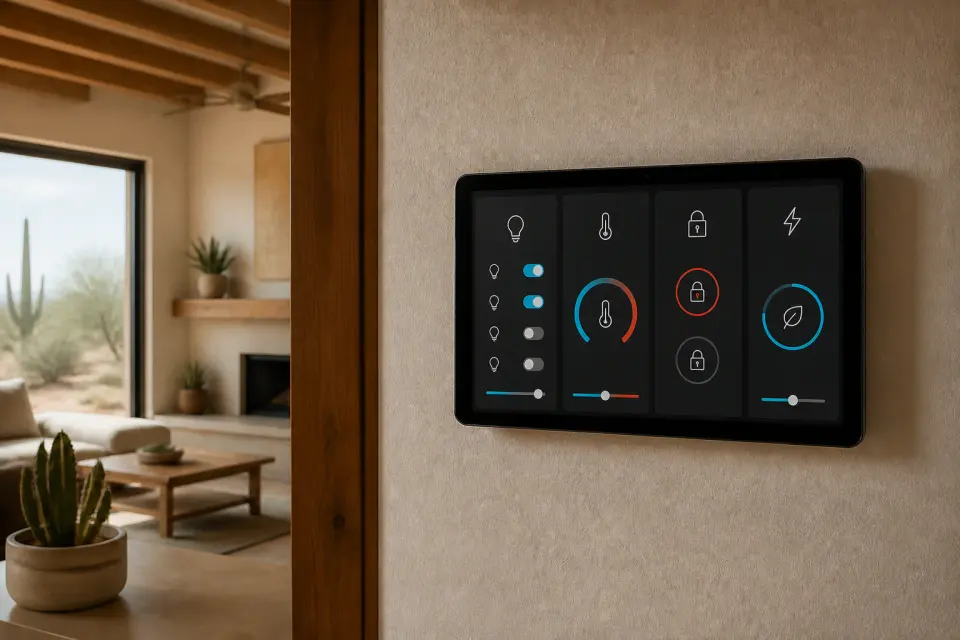
Whole-home automation built on Home Assistant. Lighting, climate, locks, sensors, cameras, and scenes in one platform, installed and configured by someone who runs it at home.
The Done-Right Promise
If a repair or installation fails within 90 days because of my workmanship, I return and fix it at no additional cost. Parts and materials follow their manufacturer warranty.
Home Automation is my flagship tech service: a Home Assistant environment that runs lighting, climate, locks, sensors, and cameras as a single system. I install, configure, and hand you a working platform you can use.
Owner-operated proof
Joe runs this stack in his own home.
Before a platform, device, or automation goes into a customer’s house, Joe lives with the tradeoffs at home—where reliability affects his own family.
250+ devicesrunning on Joe’s own Home Assistant environment—not a vendor demo.
Local-first coreplanned so essential routines keep working through an internet interruption.
One accountable installerJoe plans the system, configures it, hands it off, and supports the work.
Why Home Assistant
A home system instead of another smart-home app.
What mattersTypical individual devicesHandyMack + Home Assistant
Daily controlSeparate brand apps and accountsOne dashboard, with devices organized by room
Internet interruptionCloud-dependent features may stop respondingCore local routines can keep running
Cross-brand automationsLimited to what each vendor exposesBuilt across compatible brands in one platform
OwnershipVendor accounts and changing cloud termsYour hub, configuration, and documented hand-off
Home Automation is my flagship tech service, and it is the work I care about most. I build and configure a Home Assistant system that runs your lighting, climate, locks, cameras, and sensors as one platform, instead of five apps, five logins, and five "smart" devices that never quite talk to each other.
I run Home Assistant in my own home every day, a large and always-growing install, so the hardware and configuration choices I recommend are the ones I already live with. If something is fragile, annoying, or not worth the money, I have usually already found that out on my own setup.
What I Install
Platform & Hub
A local-first Home Assistant hub that unifies your devices in one place. I place the hub somewhere cool and central (not a baking garage or attic), put it on a small battery backup, and hand you a working system.
Lighting & Climate
Smart switches, bulbs, thermostats, and scene-based routines (morning, evening, away, sleep). In Phoenix that includes pre-cooling the house before the afternoon peak, so your SRP or APS time-of-use plan works for you instead of against you.
Locks, Sensors, and Cameras
Smart locks with per-person codes, door and window sensors, motion and occupancy sensors, and camera integration, so the whole system reacts to what is actually happening in the home.
Reliable Wireless Coverage
Block and stucco walls eat Zigbee, Z-Wave, and Wi-Fi signal, which is why so many Phoenix smart-home setups drop devices in the far rooms. I plan the mesh and repeater placement around your walls so the network holds.
My Process
- Walk-through: an in-home visit to understand your routines, your device list, and what you actually want the system to do.
- Proposal: a written scope listing the hub, any recommended hardware, and the automations I am building, with a clear install-plus-hardware quote.
- Install: typically a half to full day for a first-visit install. Larger environments (100+ devices) are scoped separately.
- Hand-off: I walk you through the dashboard, voice control, and routines. Nothing about the system is hidden from you, and you own every bit of it.
What It Costs
The system is scoped per home, so I quote the full job (install plus any hardware) up front, before any work begins. The rate structure is simple:
- $125 service fee includes travel and the first hour on site.
- $95/hr for install and configuration after the first hour. This is my specialized rate, above general handyman labor, because building a stable automation platform is skilled work.
- $35 per device to onboard additional devices once the base platform is set up.
- Hardware is customer-supplied or HandyMack-supplied. Either way, you see the hardware cost on the invoice.
Swapping smart switches, hubs, sensors, and locks, and other low-voltage work, is my lane. New circuits, panel changes, or anything that needs a permit hands off to a licensed electrician. I install; I do not pull permits.
Ready to get your Home Automation (Home Assistant) done?
Book a service call and I’ll quote the scope up front, so you know the cost before I start. Want to talk it through first? Call or text (480) 885-6292.
Areas I serve
HandyMack handles home automation (home assistant) across northwest Phoenix and the greater Valley. I’m based in Stetson Valley and work throughout nearby neighborhoods including Stetson Valley, Stetson Hills, Deer Valley, Norterra, Happy Valley, Union Hills, Desert View, North Phoenix. I also serve Phoenix, Peoria, Glendale, Surprise, Sun City, and the surrounding Phoenix metro. Not sure if you’re in range? Call or text (480) 885-6292 with your zip code and I’ll confirm.
Frequently asked questions
How much does Home Automation cost?
Installation is billed at my flagship rate: a $125 service fee that includes travel and the first hour, plus $95/hr for install and configuration after the first hour, which is above general handyman labor because building a stable automation platform is skilled work. Onboarding additional devices once the base platform is set up is $35 per device. I quote the full job (install plus any hardware) before any work begins.
What can Home Automation do in my house?
Lighting scenes (morning, evening, away, sleep), climate control tied to occupancy, smart locks with per-person codes, motion and door/window sensors, camera integration, and voice control through Alexa, Google, or HomeKit. The system reacts to what is happening in the home instead of making you open five apps to run it.
Can it lower my electric bill in a Phoenix summer?
It can. On an SRP or APS time-of-use plan, the expensive hours are the summer afternoons and early evenings. I can automate your thermostat to pre-cool the house before that window and ease off during it, so you are buying less power when it costs the most. The exact savings depend on your plan and your home, but shifting cooling off the peak is one of the most useful automations I build here.
Do I need to buy new hardware?
Not always. I inventory what you already have during the walk-through and tell you what works with the platform. Where new hardware is needed, it is customer-supplied or HandyMack-supplied, and either way you see the hardware cost on the invoice.
Do my light switches need special wiring?
Some do. Most smart switches need a neutral wire in the box, which newer Phoenix homes usually have and some older ones do not. I check your boxes during the walk-through, and where there is no neutral I use switches or bulbs that do not need one, so you are not stuck. Swapping switches is in my lane; running a new circuit is licensed electrical work I hand off.
What happens if the power or internet goes out?
Core automations (lighting scenes, schedules, motion-triggered lights) run locally on the hub, so they keep working when the internet drops. I also put the hub on a small battery backup so a short monsoon power flicker does not take the system down. Remote access from your phone is offline during an internet outage, but the house itself keeps running.
Is my data private, or does this need a cloud subscription?
Home Assistant is local-first, which is a big reason I build on it. Your automations, camera clips, and device history live on the hub in your home, not on someone else's cloud, and there is no monthly platform subscription to keep the system running. You can still turn on remote access and voice control when you want them; that is your choice, not a requirement.
What areas do you service?
I am based in Stetson Valley and serve Phoenix, Peoria, Glendale, Sun City, Surprise, and the greater Phoenix Valley. Scottsdale is case-by-case. Call (480) 885-6292 with your zip code if you are not sure.
Reviews
What neighbors say
5.0from 12 Google reviews
17Faves on Nextdoor
5.0from 1 Yelp review
“Best person I’ve ever had to do work for me. Professional, quality work. Definitely recommend and will use again!”
“My grandma had just moved to Peoria from Chicago and we needed to feel hat she'd be safe with no one out there to be with her. We were recommended Joe at HandyMack Tech and he responded quickly, unlike others. Came out and have a fair quote. To put us at ease, he installed Reolink cameras, set up the app for me and her so we could see from Chicago. Installed some smart fall alert sensors and a view of the camera if there is a fall. Even though we are far away we feel much better about our grandmas safety thanks to Joe!”
Powered by Google